

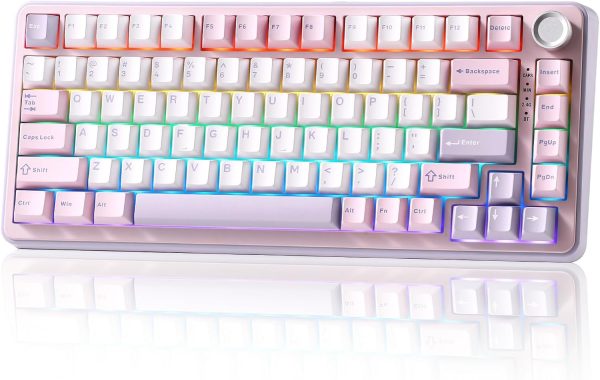
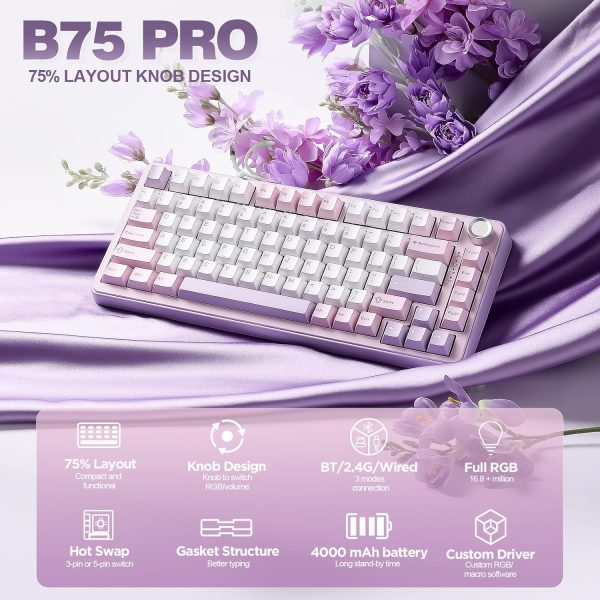



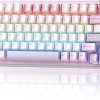






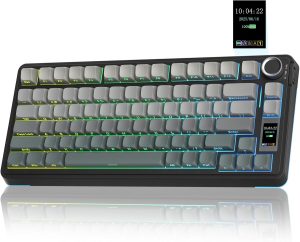
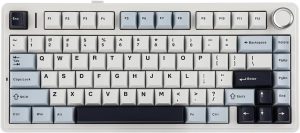
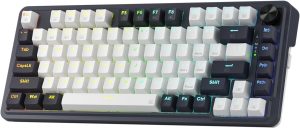
- 75% layout with multimedia control knob: The B75 PRO is a compact keyboard with 82 keycaps and a built-in control dial. It keeps number keys, function keys and arrow keys within a smaller footprint, so you get the keys you use most without a full-size board taking up your desk. The dial gives you quick access to volume and backlight adjustments. Press and hold the dial to switch between gaming and office modes; turn it to change keyboard volume or cycle through RGB backlight effects.
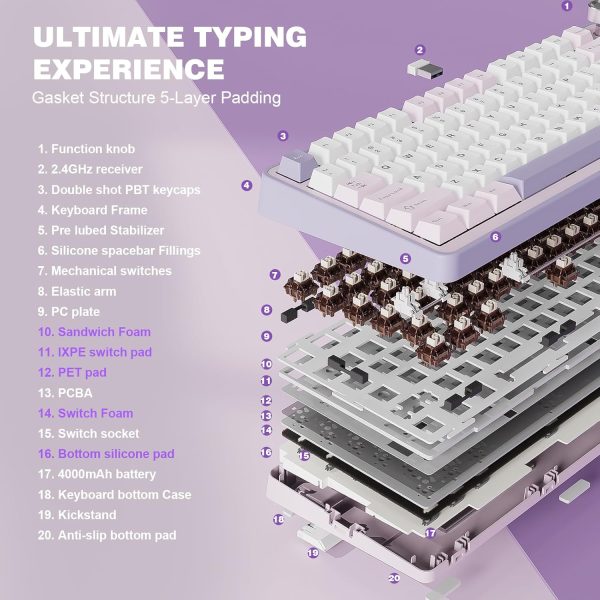
- Gasket mount with five-layer padding: The keyboard uses a gasket-mounted structure with five layers of padding and a noise-reduction design. Double-shot keycaps, precision-tuned stabilisers and pre-lubricated mechanical switches are already fitted, so the board is ready to use straight out of the box. The result is a dampened, solid typing feel with less hollow noise.
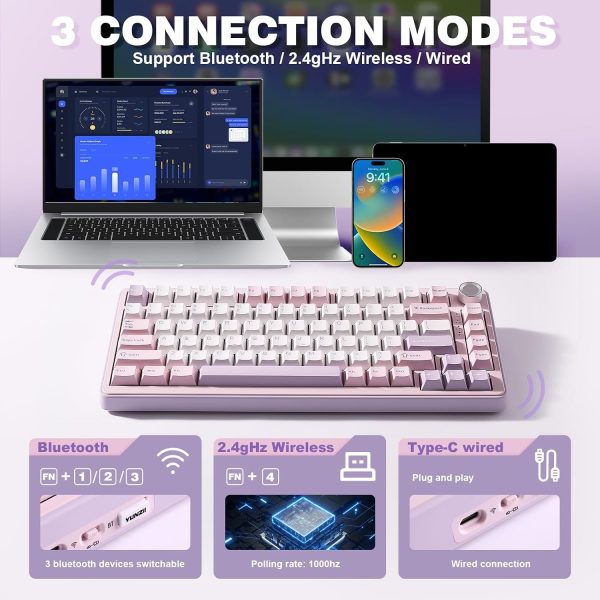
- Three connection modes: The B75 PRO supports Bluetooth, 2.4GHz wireless and wired connection. A built-in 4000mAh battery is included, which helps provide longer use between charges in wireless mode. You can move between devices or switch to wired for a stable connection when needed.
- Hot-swappable sockets and pre-lubed switches: Full-key hot-swappable sockets let you change switches without soldering. The PCB is compatible with both 3-pin and 5-pin switches, so you can adjust the typing feel if you prefer something different. The supplied switches are pre-lubricated, with a low-latency response intended for gaming, typing or creative work.
- South-facing RGB and programmable keys: More than 20 built-in backlight modes are available, with south-facing LEDs. Programmable software lets you redefine keys, set macros and customise RGB lighting on Windows systems. The keyboard is compatible with Windows and macOS and can be used with a range of devices.
Product Overview
The B75 PRO is a 75% gasket mount mechanical keyboard with 82 keys and a multimedia control knob. It combines the essential keys of a tenkeyless layout — number keys, function keys and arrow keys — in a more compact format, leaving more room on the desk for a mouse or notepad.
The board is built with a gasket-mounted structure and five layers of internal padding to reduce hollow noise, paired with double-shot keycaps, tuned stabilisers and pre-lubricated mechanical switches. A control knob handles volume and backlight changes without software, and a long press switches between gaming and office modes.
It connects over Bluetooth, 2.4GHz wireless or a wired connection, with a 4000mAh built-in battery for wireless use. Full-key hot-swappable sockets accept both 3-pin and 5-pin switches, so the keyboard can be adapted over time. South-facing RGB with over 20 backlight modes and programmable software cover lighting and key customisation on Windows, and the keyboard also works with macOS.
Key Features
- 75% layout with 82 keycaps — number keys, function keys and arrow keys kept in a compact frame
- Multimedia control knob for volume and backlight adjustment, with a long-press mode switch between gaming and office use
- Gasket mount structure with five-layer padding, double-shot keycaps and tuned stabilisers for a dampened, solid feel
- Bluetooth, 2.4GHz wireless and wired connection, with a built-in 4000mAh battery
- Full-key hot-swappable sockets compatible with 3-pin and 5-pin switches
- South-facing RGB with more than 20 backlight modes and programmable key, macro and lighting settings on Windows
Suitable For
- Anyone who wants a smaller desktop keyboard without giving up number keys, function keys or arrow keys
- Gamers who prefer a quick-access volume and backlight dial and low-latency switches
- Office and home users who switch between Bluetooth, 2.4GHz wireless and wired devices
- Typists and hobbyists who like to change switches or customise key functions and lighting
- Windows and macOS users looking for a keyboard that works across different devices
Care Information
- Wipe the keycaps and case with a soft, dry or slightly damp cloth. Do not use abrasive cleaners or soak the keyboard.
- Remove dust from between the keys with a soft brush or compressed air.
- If a keycap is removed for cleaning, refit it gently and check that it sits evenly.
- Charge the keyboard using a suitable USB connection and avoid leaving it in direct sunlight or damp conditions.
- Store the keyboard in a dry place when not in use.
Customer Support
If you have a question about the B75 PRO before or after ordering, please contact us and we will do our best to help. Information on this page is provided for general guidance only and is based on the details supplied with the product. If anything is unclear, please check with us before ordering. No additional guarantees, delivery terms or support policies are stated or implied here.
Reviews
There are no reviews yet.